
Budget Optimisation Scenario Planning MMM-Powered
Marketing Mix Modeling
You Can Act On
MassTer Mind turns your MMM outputs into testable scenarios, optimised allocations and leadership-ready strategies, all in one platform. Move budget, test scenarios and lock the plan against your own model. In minutes, not months.
MassTer Mind
Live walkthrough
From model to market,
one screen at a time
Every screen is a real MassTer Mind session. Pick a stage, or click the sidebar in the screen, to see it.
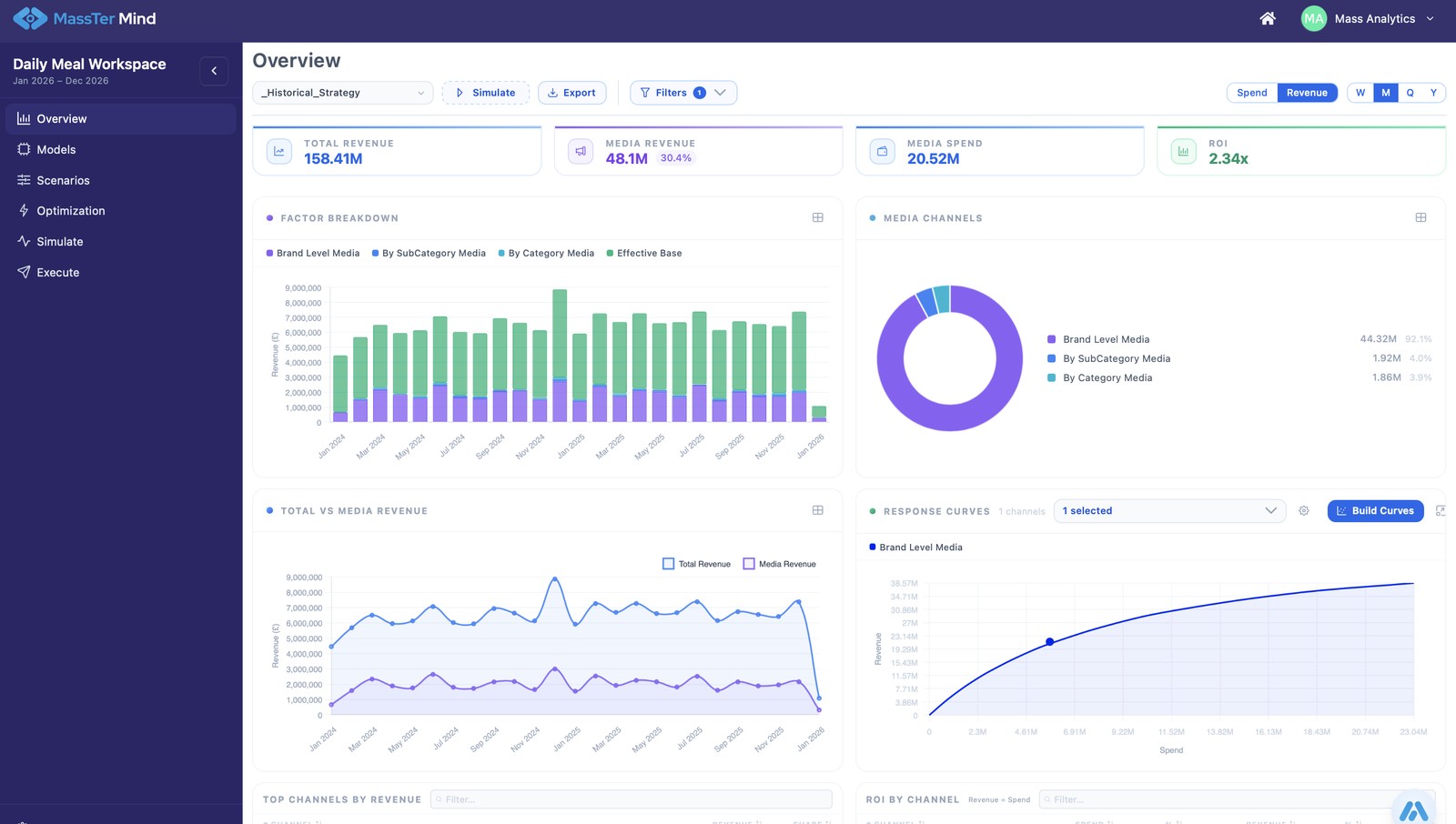
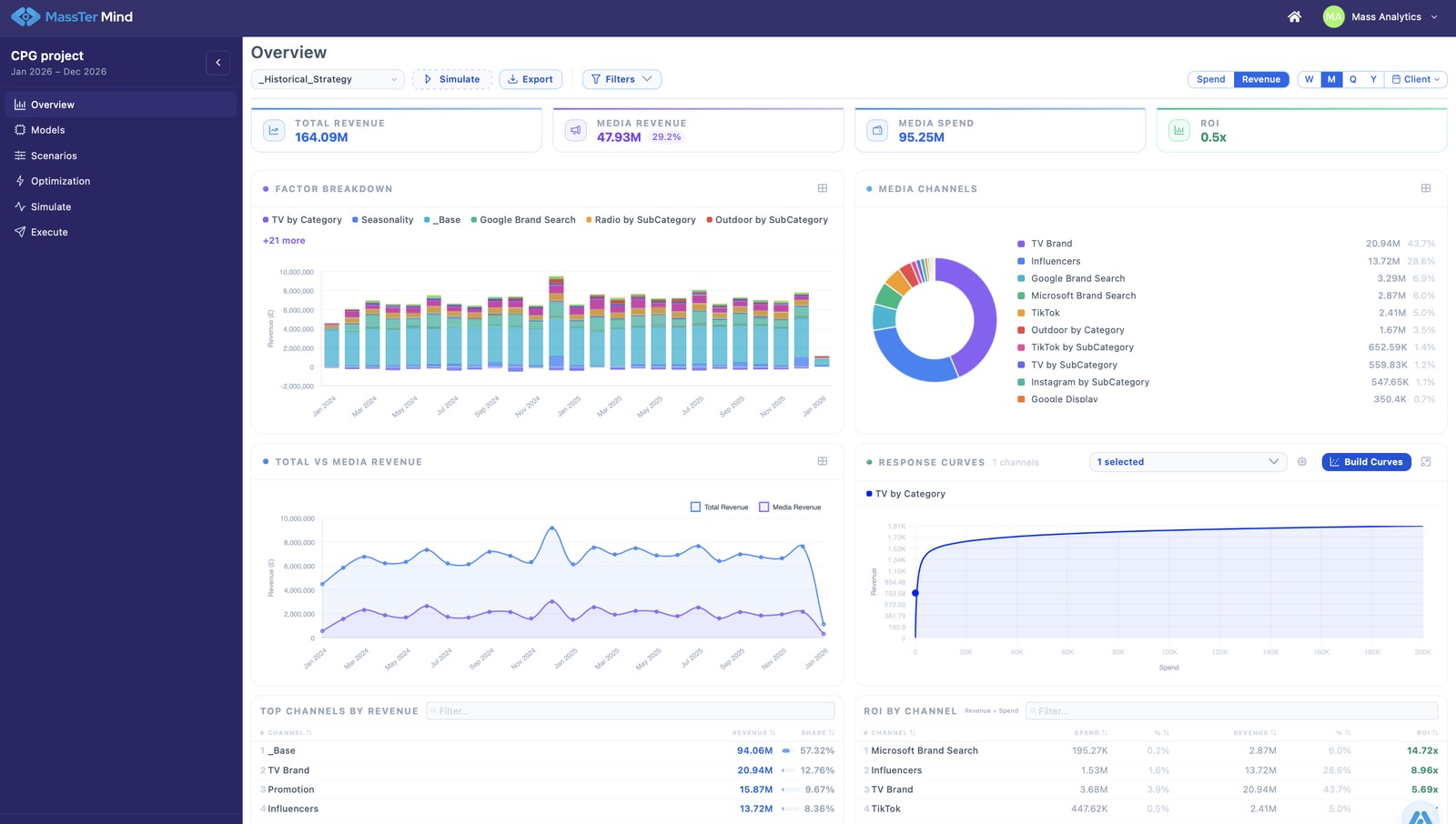
Overview: your model and strategy, live
Live revenue, spend and ROI from your calibrated model, with the factor breakdown and response curve for every channel, and your current media strategy alongside.
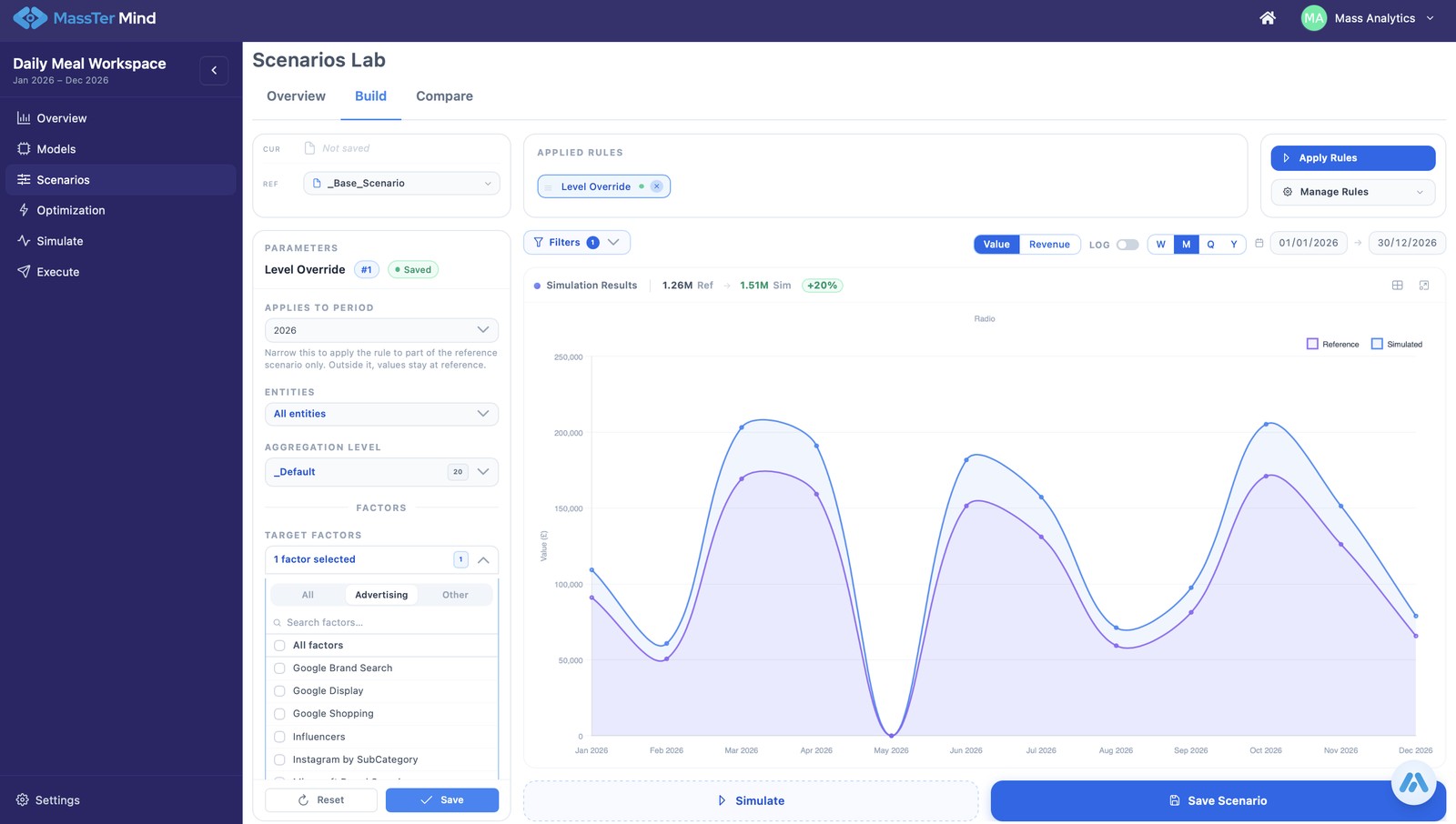
Scenarios: build, compare and stress test
Six transformation rules give you unlimited combinations. A strategy is a media plan tested against a context: promotions, launches, macro conditions. Stress test the plan you have against the context you expect, side by side.
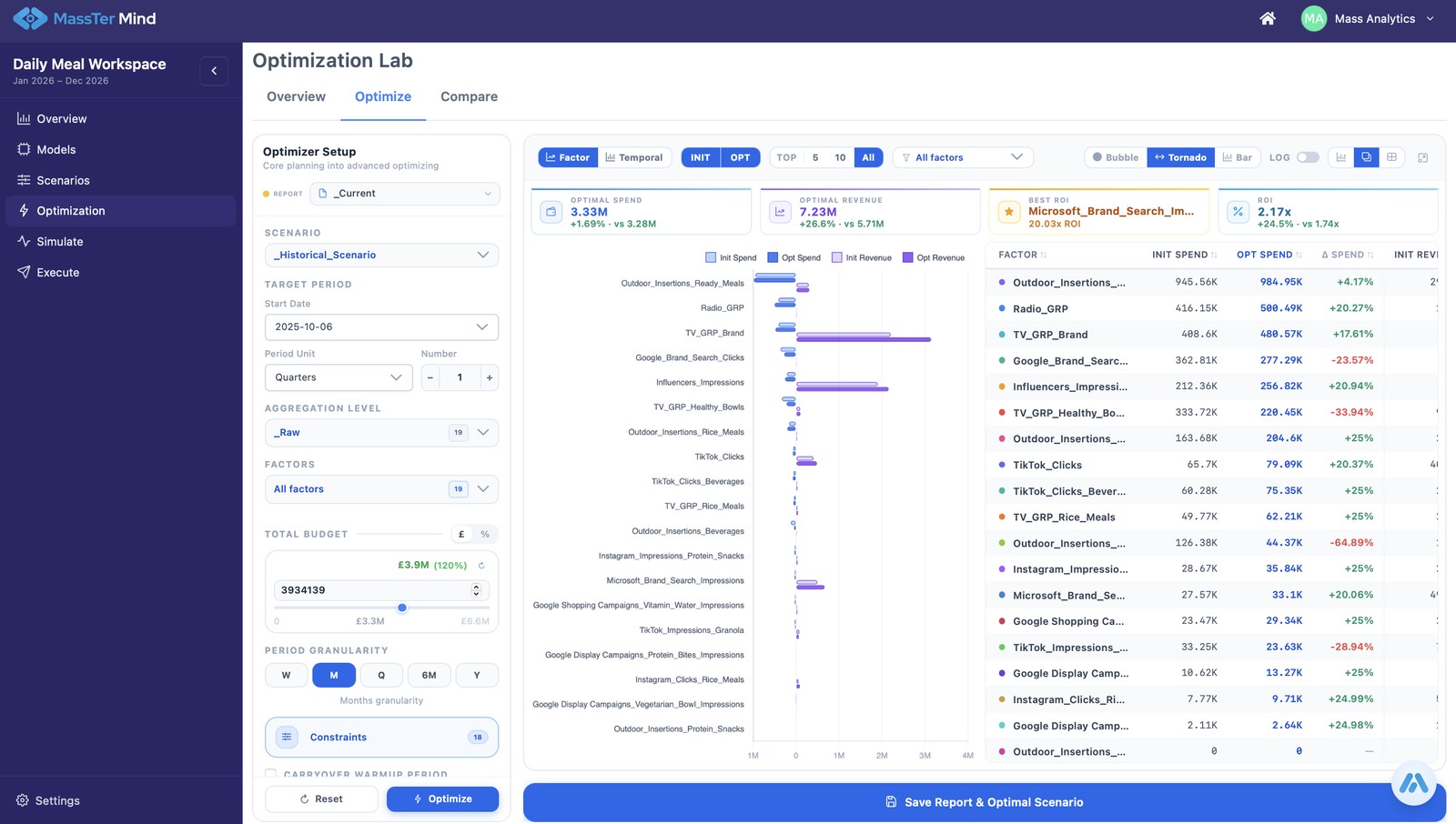
Optimisation: find the optimal allocation
Set the objective, total budget and guardrails. AI finds the optimal allocation within them. Export the leadership-ready strategy.
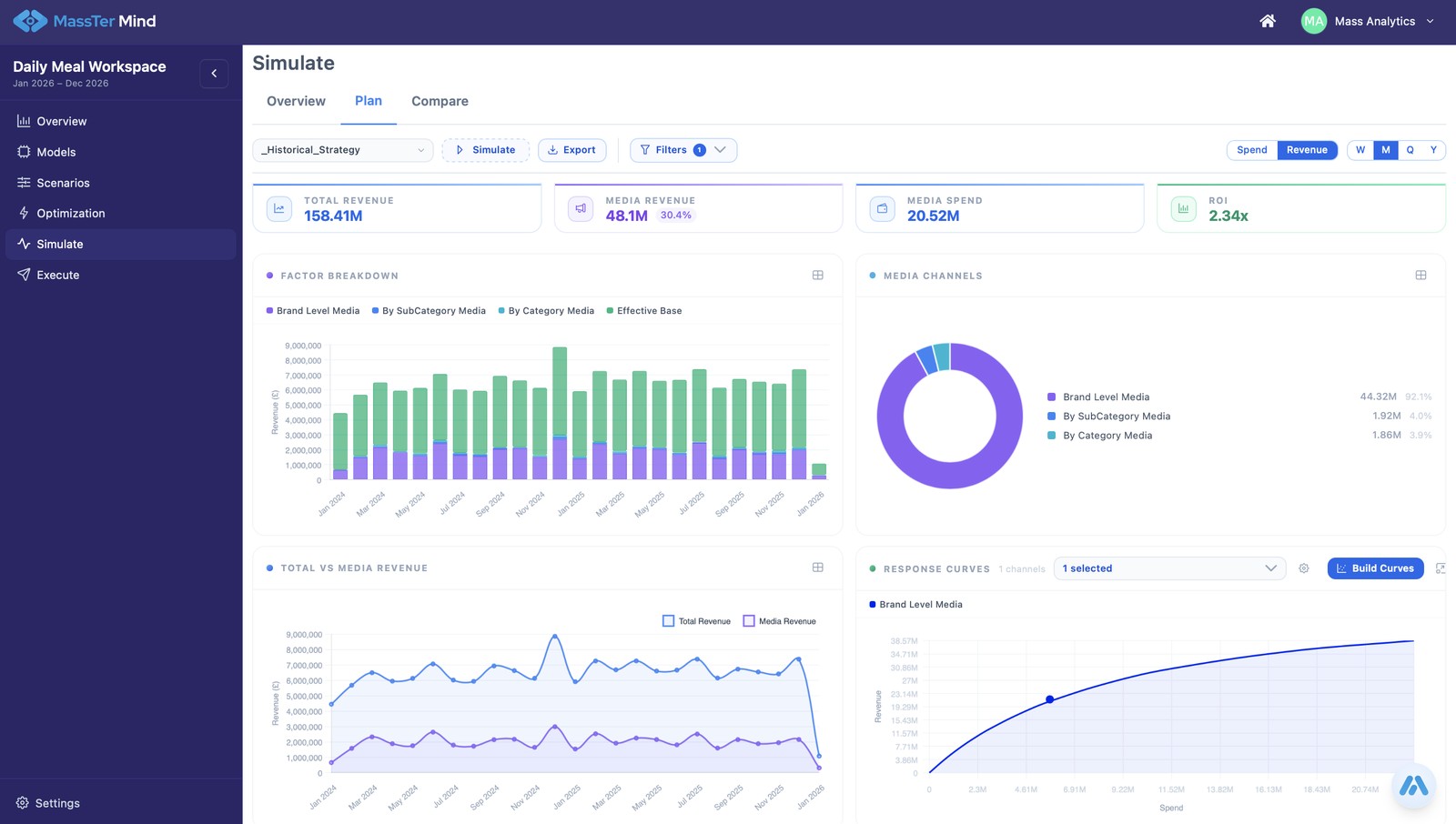
Simulate: lock in the strategy
Layer in competition and macro conditions. Export a leadership-ready strategy with a range behind it.
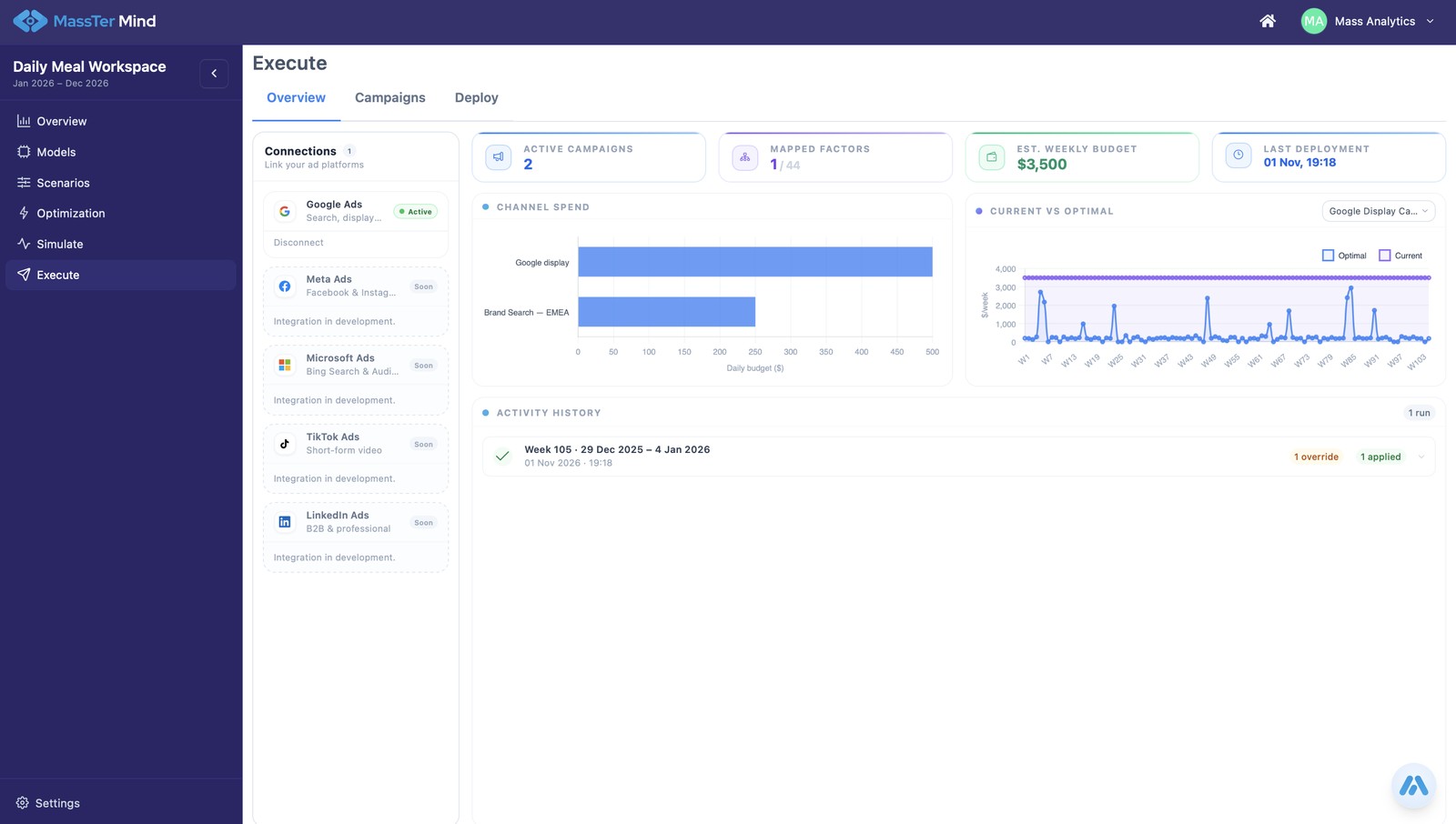
Execute: push the plan to market
Push the locked budget straight into your media plans on Google, Meta, Microsoft, TikTok and LinkedIn Ads. Before a campaign runs, send the creative for scoring through DAIVID or Adverteyes and read its likely impact before you spend.
Real MassTer Mind screens, shown with a demo workspace and sample data.
The Problem
The decision is where
measurement breaks down
Lost clarity
The model ran. Now what?
Planning decisions built on assumptions instead of verified model outcomes. Results land in a deck and business asks: so what do we do?
Lost relevance
Measurement missed the window
Strategies created once, then outdated before they are even reviewed. Budget cycles move on their own clock and the numbers are already locked.
Lost visibility
No fast way to replan
Disconnected tools and teams slow down every decision. Finance shifts the envelope, a channel goes dark, and there is no way to instantly replan against real constraints.
Lost opportunity
Insight too late to act on
Static planning misses the impact of context shifts and market dynamics. The window closes before anyone can act on the model output.
What It Does
Budget intelligence built
on your model
Budget Optimisation
The optimal plan, in seconds
Set your budget, define your constraints, and get a channel-level allocation grounded in your own MMM model results. Not industry benchmarks. Not platform-reported data. Your numbers.
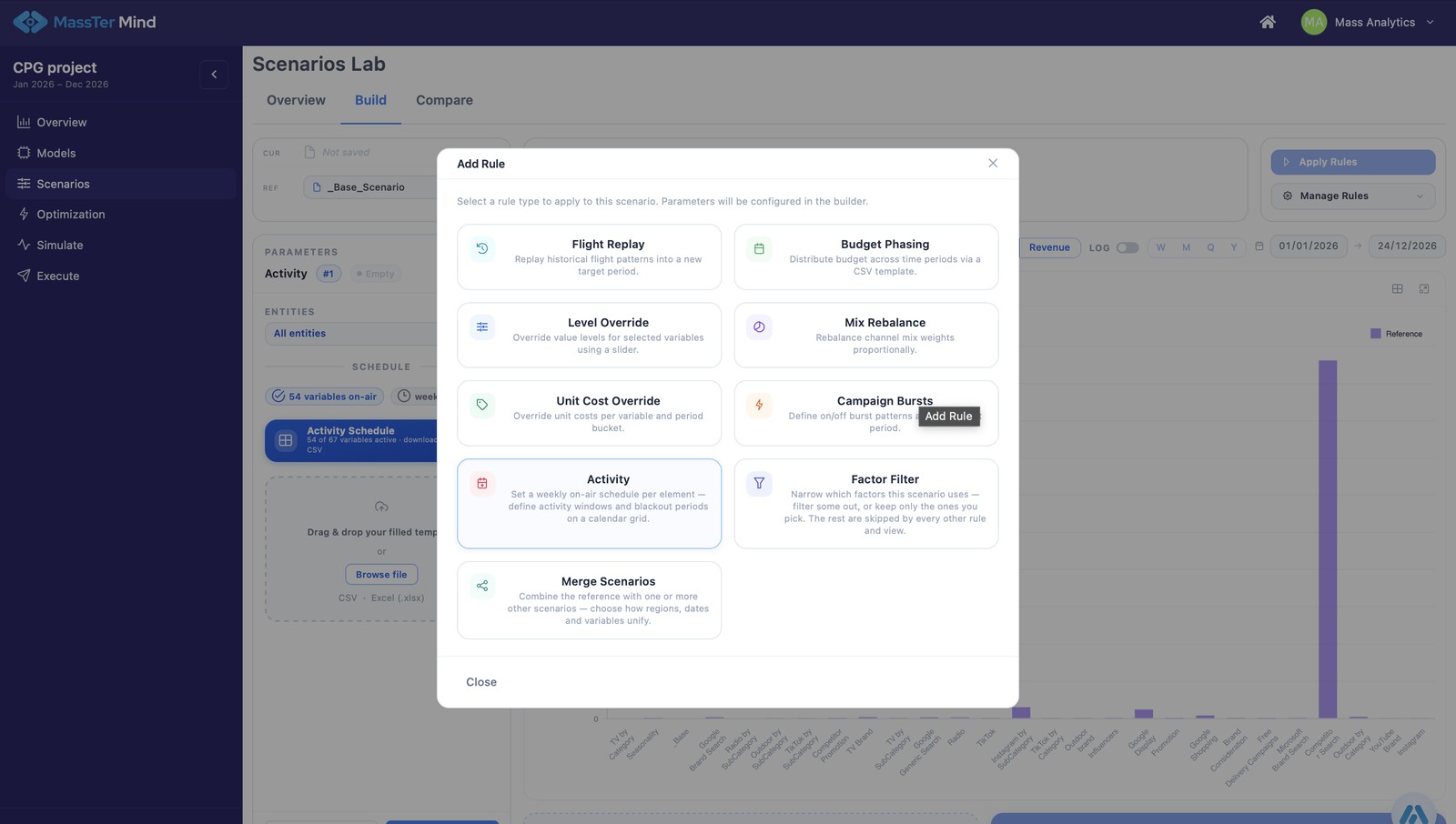
Scenario Planning
Compare scenarios side by side
Run unlimited what-if analyses and compare outcomes instantly. Walk into any planning meeting with a clear, model-backed recommendation your stakeholders can act on.
Portfolio Optimisation
Full visibility across every market
Optimise across models, not just within one. Where the same spend variable carries the same name in every model, Mind recognises it and allocates for the portfolio total, with halo and cannibalisation between products, brands or markets accounted for.
How It Works
Five steps from model
to market
One flow, from your live model to a leadership-ready strategy. Every step is grounded in your own model, so the plan at the end is one you can show and defend.
01
Home Panel
Your model, made live
Revenue, spend and ROI with trend indicators and response curves. Every number is your calibrated model, live.
02
Scenario Lab
Build and compare scenarios
Six transformation rules: replay, override, phase, mix, rebalance and burst. Compare side by side and read what each scenario gains or gives up.
03
Optimisation Engine
AI finds the optimal allocation
Set the objective, total budget, date range and channel-level guardrails. The AI does the rest.
04
Simulate
Lock in the strategy
Layer in competition and macro conditions. Export a leadership-ready strategy with a range behind it.
05
Execute
Push the plan to market
Push the locked budget straight into your media plans on Google, Meta, Microsoft, TikTok and LinkedIn Ads. Before a campaign runs, send the creative for scoring through DAIVID or Adverteyes and read its likely impact before you spend.
Walk in with confidence. One-click export: an evidenced, auditable comparison ready for leadership sign-off. No spreadsheets needed.
Three Ways to Run It
Your workflow, your call
MassTer Mind exposes a Model Context Protocol server. The same engine runs whether Maia drives it, your own agent connects, or a planner works the interface directly. Move between the three at any time.
Fully agentic
Maia orchestrates it
Maia keeps the model fresh, builds and compares scenarios, finds the optimal allocation and keeps the strategy current. You review and approve. No setup. No manual runs.
Via Model Context Protocol
Connect over MCP
Point your own agents, copilots or data stack straight at Mind’s MCP server. Run scenarios, trigger the optimiser and pull the strategy from your own automation, with no interface in the loop.
Self-serve planner
Run it yourself
Prefer hands on the wheel? Work directly in the MassTer Mind interface: move budget, apply guardrails, compare scenarios and lock the strategy by hand. Every step is yours.
The budget decision, mapped
Every reallocation has a trigger, an owner and a limit
Handing a decision to AI only works when the decision is written down. This is how MassTer Mind and Maia Agent run a channel budget reallocation, and where your team stays in charge.
Decision record · Channel budget reallocation
01 · Trigger
MassTer PACE flags when the current plan no longer fits the market, so you replan when the evidence says so, not when the calendar does.
02 · Objective
The outcome your team sets for the planning period.
03 · Inputs
The official model from the latest MassTer PACE cycle, spend by channel, and the context you expect: promotions, launches and market conditions.
04 · Guardrails
Protected budgets, channel constraints, approval thresholds and activation scopes.
05 · Output
A recommended allocation with its expected impact, the trade-offs behind it and a full audit trail.
06 · Decision owner
Your team approves before anything goes live. You decide how far Maia Agent acts on its own.
Why MassTer Mind
Other tools give you data.
Mind gives you a decision.
Every recommendation traces back to your calibrated MMM model. Every scenario is auditable. Every plan is ready to present.
Scenario library, not spreadsheets
A versioned, auditable library built from six transformation rules. Where other tools give you one rigid input format, MassTer Mind gives you infinite combinations.
AI optimisation, transparent
You define the business rules. The AI finds the mathematically optimal allocation. Every suggestion is explainable: why it was made and what it means for revenue.
Total sales, not just media revenue
Test your optimised plan against seasonality, competition and macro conditions. Total sales as a range, not one fragile number.
Fed by MassTer PACE
Every cycle, the current official model lands in Mind automatically, forecast cube built. The planning team always works on the model the data team trusts today, with no hand-written export in between.
Pricing
Transparent, predictable cost.
One product. One price. No per-seat charges, no usage caps, no API costs.
Monthly
$1,375
per month
Cancel any time. No annual commitment. No notice period.
Annual
$15,000
per year, around nine per cent less
For teams that prefer to budget annually.
Included every month
- Unlimited scenarios, built from six transformation rules
- AI optimisation with channel-level guardrails and objective setting
- Side-by-side scenario comparison and one-click leadership reports
- Total sales simulation: competition, macro and seasonality layers
- MassTer (proprietary) and Meridian (open source) native support
- Mind MCP server: run with Maia, your own agents, or the interface
No model yet? Start with MassTer Studio or a managed build first. We will tell you if that is the right first step.
Before you start
Will this work on your data?
MassTer Mind optimises a model you already have. Before you start, check that these four inputs are in place.
A marketing mix model to build on. Mind optimises a model built in MassTer (proprietary) or Meridian (open source). If you already have one, you are ready to turn it into decisions.
Data your model already trusts. Spend by channel and an outcome measure, in the model your team already relies on. Mind works with what the model knows, without moving your data.
A decision that actually needs making. A budget to allocate, a plan to defend, a meeting to walk into. Mind earns its place the moment there is a real decision on the table.
One name per variable, across models. For portfolio optimisation, the same spend and impression variables carry the same name in every model. Mind links models through the taxonomy, so the taxonomy comes first.
The MassTer platform
One platform. Three components.
One orchestrator.
Maia Agent Agentic orchestrator
Coordinates updates across the components without manual re-runs.
02 · Decide
MassTer Mind
Scenario planning and budget optimisation on the current model.
✓ You are here
Underneath all three sits the Academy, the knowledge accelerator that builds your team’s capability.
Ready to Optimise Your
Marketing Budget with
MassTer Mind?
Build a live scenario from your channels and constraints. See real uplift numbers before you commit.
FAQ
Four questions buyers ask
Is Mind for weekly re-planning?
No. A plan built on a robust model holds for a planning period. MassTer PACE tells you when that period has ended early, and Mind is where you replan when it has.
Which model does Mind use?
The official model from the latest PACE cycle, one model at a time. Comparing models across cycles is PACE’s job, not Mind’s.
Can I run Mind from my own tools?
Yes. Mind exposes an MCP server, so your own agents and copilots, including Snowflake Cortex, can build scenarios and run optimisations without opening the interface.
Which marketing decisions should you hand to AI first?
Start with decisions you make often, that move real money and that you can write down. Channel budget reallocation is the usual first. Define the trigger, the objective, the inputs, the guardrails and who approves, then let Maia Agent recommend within them. Widen its autonomy as the track record builds.